How to set run control options
For a list of available run control options, see the run control reference.
In Excel model workbooks
In Excel model workbooks,
each run control option is defined by
a single-celled named range on the RunControl sheet.
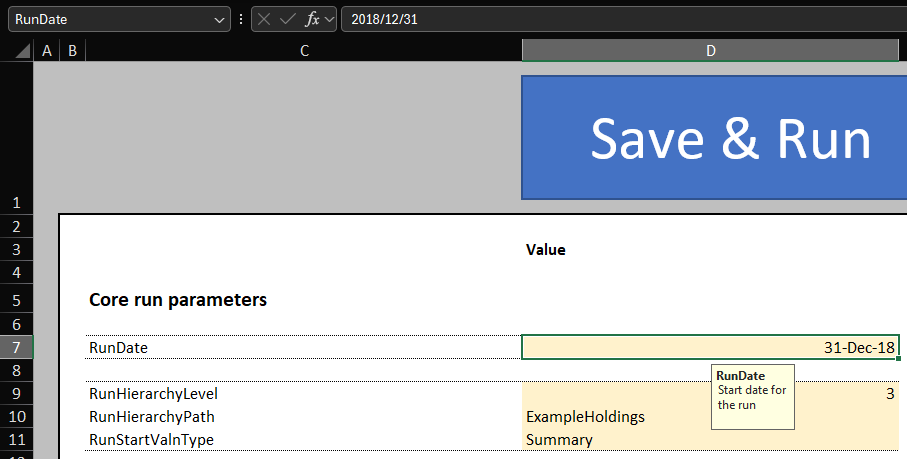
Some options are expected to be values, e.g.:
RunDatemust be a date.RunStartValnTypemust be text (a.k.a. a "string").RunHierarchyLevelmust be an integer.
Some options are expected to be formulas (without the leading =).
These are normal text cells, but they are interpreted as formulas when the model is run.
In YAML and JSON model files
In YAML and JSON models, each option is defined under the run_control key.
All options are defined as formulas.
This is to work around the limitation of these formats not supporting some data types, like dates.
run_control:
  - name: RunDate
    formula: DATE(2024,12,31)
  - name: RunStartValnType
    formula: '"Summary"'
  - name: RunHierarchyLevel
    formula: "1"
  - name: RunHierarchyPath
    formula: '"A|B|C"'
{
    "run_control": [
        {
            "name": "RunDate",
            "formula": "DATE(2024,12,31)"
        },
        {
            "name": "RunStartValnType",
            "formula": "'Summary'"
        },
        {
            "name": "RunHierarchyLevel",
            "formula": "1"
        },
        {
            "name": "RunHierarchyPath",
            "formula": "'A|B|C'"
        }
    ]
}